Managing a shrimp farm as a team means each member has different responsibilities. Some may monitor pond conditions, record feeding and sampling activities, or manage financial data, while others may only need access to view information.
Setting access based on each member’s responsibilities and level of authority helps everyone stay focused on their tasks. With the right access in place, teams can collaborate more efficiently and manage farm operations more easily.
Set Member Access Based on Roles and Responsibilities
To make member access easier to manage, JALA App introduces Access Management. Farm owners can assign roles, specify which ponds each member can access, and determine which types of data they can view or manage.
This allows teams to work together in one system while giving each member access that matches their responsibilities. The feature also provides the flexibility to manage access without limiting collaboration across the farm.
- Keep data access under control: Farm owners can determine which members can view or edit specific data, ensuring that information is accessible based on each member’s needs.
- Assign access to specific ponds: Members can be given access to specific ponds or blocks based on the areas they are responsible for, allowing them to focus on the data they need to manage.
- Separate farming and financial data access: Access can be managed by data type, so members responsible for cultivation operations do not necessarily need access to the financial data.
- Clarify team responsibilities: Each member has a defined role and scope of work, from Admins and Technicians to Laborants and Feeders.
Explore member roles and access in JALA App.
- Owner: Full access to manage all farm data and settings.
- Farm Admin: Manages farm operations, inventory, financial data, and farm settings.
- Technician: Records, views predictions, and updates pond operation activities.
- Laborant: Records water quality test results and cultivation inspection data.
- Feeder: Records feeding and sampling activities for assigned ponds.
- Viewer: Can view information without access to make changes.
With these role-based permissions, more team members can contribute to farm management without giving everyone the same level of access.
How to Manage Pond Member Access
Make sure you and the team members you want to add already have JALA App accounts.
Here’s how to set up member access through the web browser on smartphone, laptop/computer, or tablet.
- Log in to your account at app.jala.tech
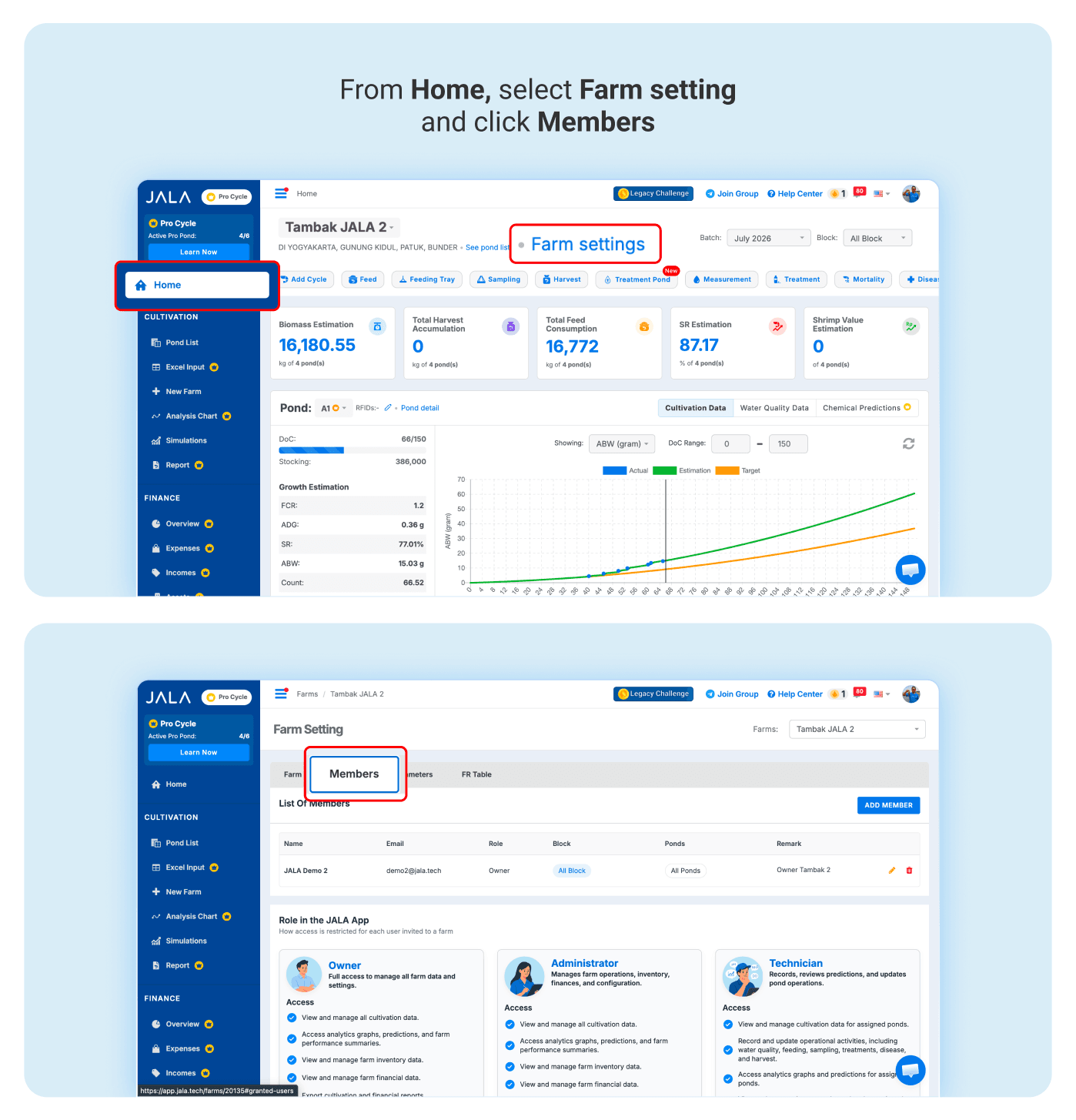
- From the Home page, click Farm settings.
- Select Members, then click Add Member.
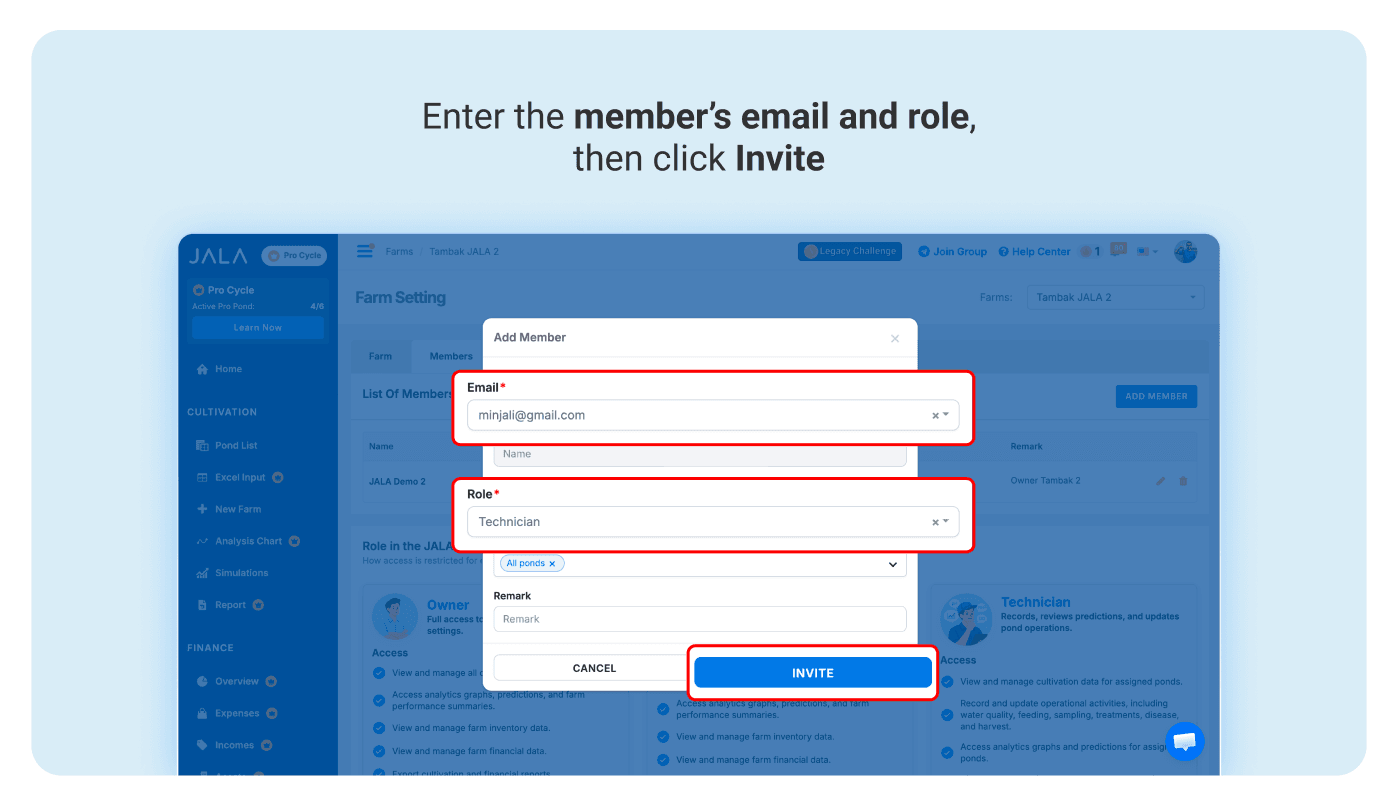
- Enter the member’s information and assign a role, then click Invite.
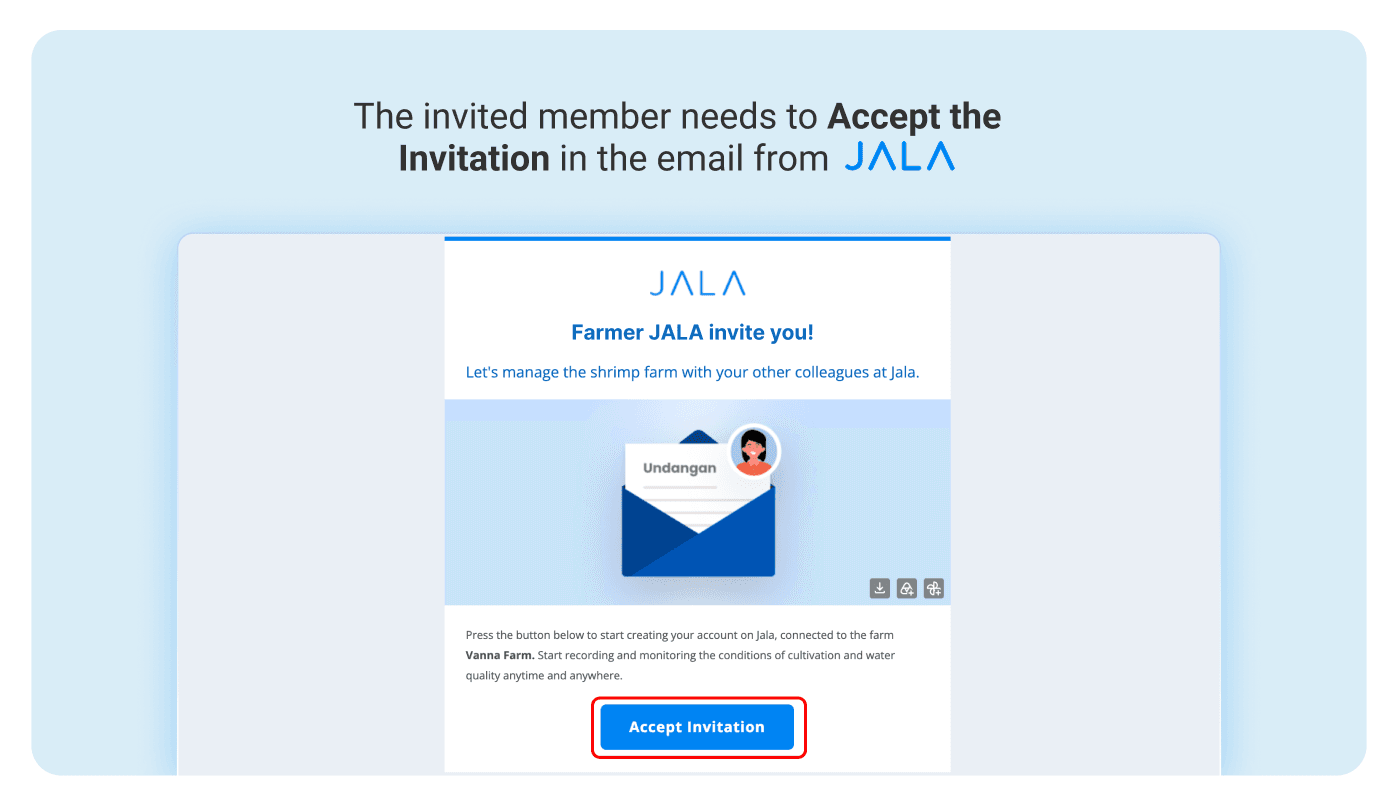
- The member will receive a confirmation email to their JALA App account.
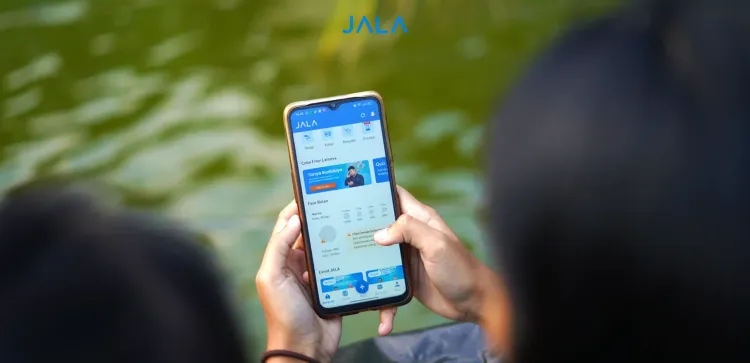
You can also manage member access through the JALA App mobile app if you have downloaded it from the Play Store or App Store.
- Open the JALA App and tap Profile in the bottom-right corner.
- Tap Connected Farm and select the farm where you want to add a member.
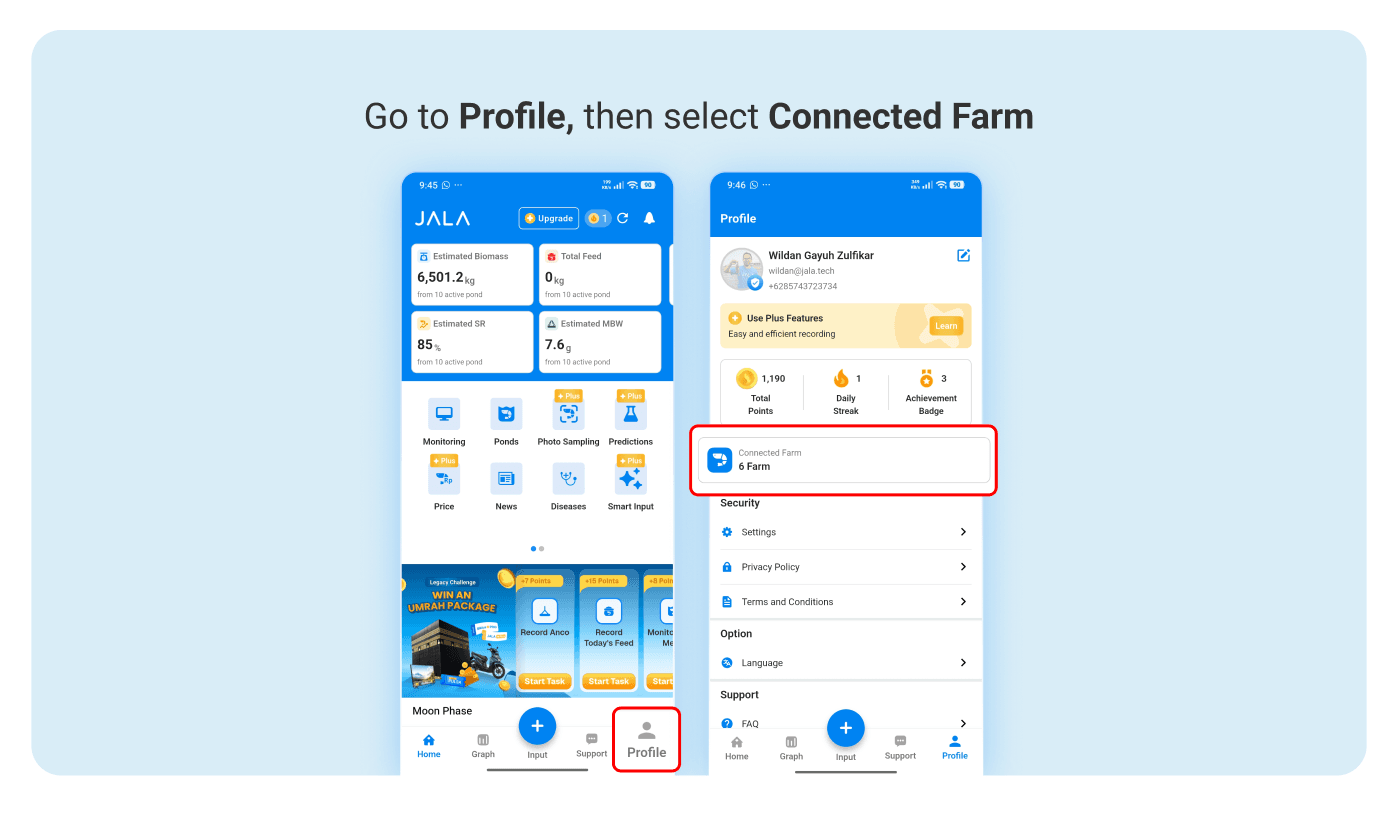
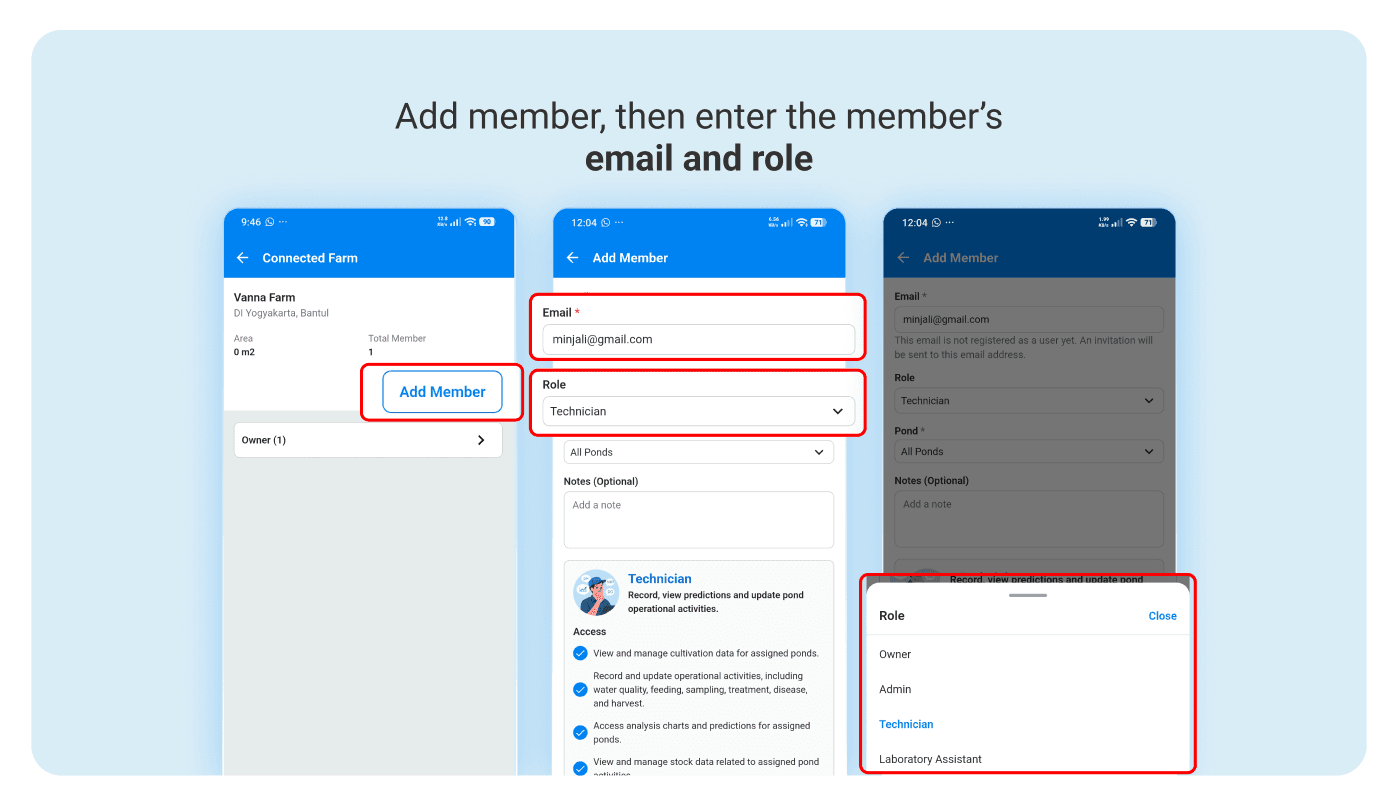
- Click Add Member.
- Enter the member’s email and role, then click Save once the information is correct.
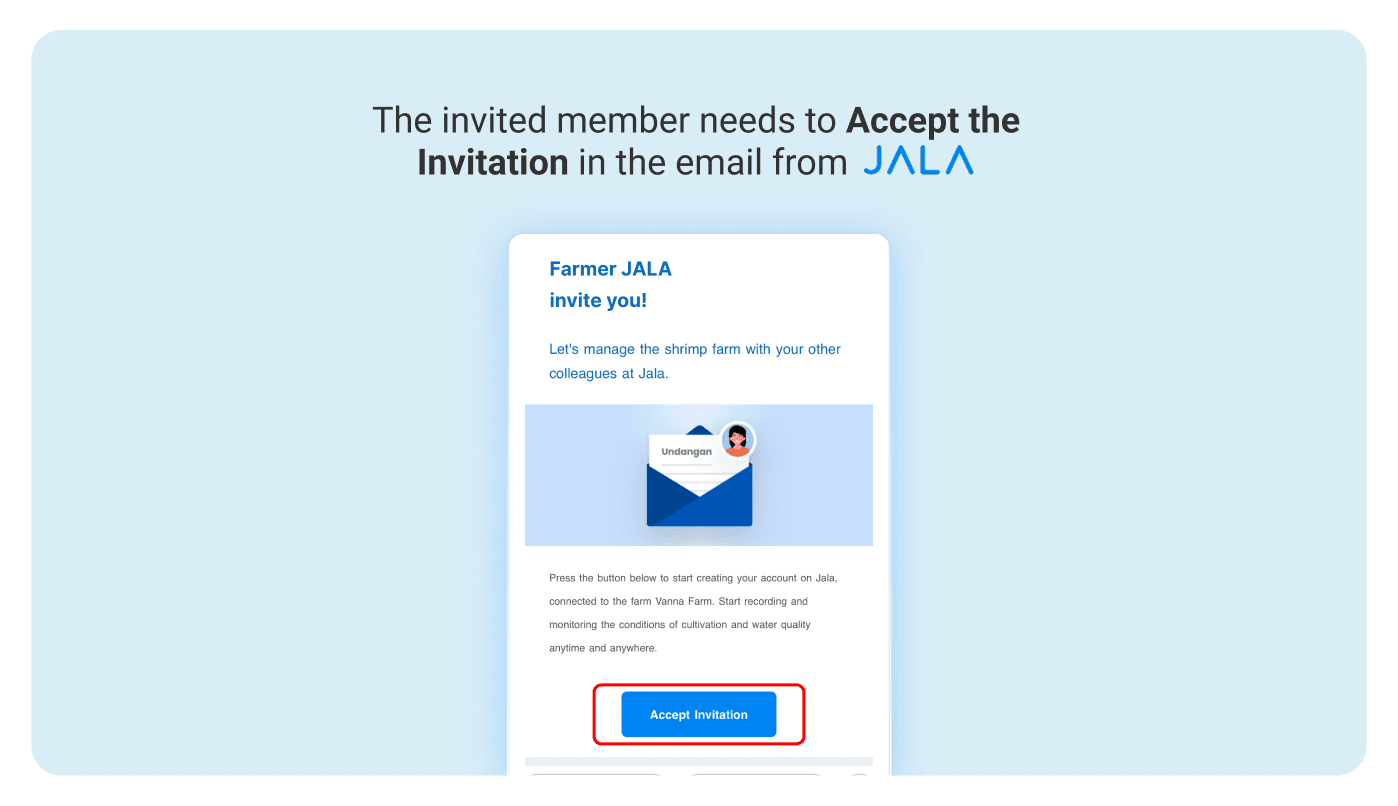
- The member will receive a confirmation email to their JALA App account.
Strengthen Your Farm Collaboration with Better Data Management
Bring your entire team into farm management with access tailored to each member’s role and responsibilities. With farm data recorded in one system, you can build a more comprehensive and measurable management process, from daily operations to cultivation progress. Invite your team to join JALA App and manage your shrimp farm together more efficiently.